
Success Music Studio

How to Mix Using a Digital Audio Workstation (DAW) - DAW Recording Studio

How to Mix Using a Digital Audio Workstation (DAW)

Facebook
Pinterest
LinkedIn

Estimated reading time 5 minutes

Table of Contents

Introduction

Do you want to know what DAW stands for? Do you need to learn how to mix songs using a digital audio workstation? DAWs are high quality sound recording software that will help you unlock your songwriting potential. Keep reading to learn how to mix using a digital audio workstation.

This article uses technical terms. For definitions, see the Glossary at the end of the post.

Measuring a Song’s Success - Recording Sign - I'm Confused About These Stupid Vocal Ranges - How to Employ Effective Equalization on Your Song

This post contains affiliate links, which means I may receive a small commission from purchases made through the links. I’ll only recommend products I use, use in lessons, or ones my students or colleagues have recommended.

How to Mix Using a Digital Audio Workstation (DAW): What Is It?

What’s a DAW?

  • DAW is an acronym for Digital Audio Workstation.
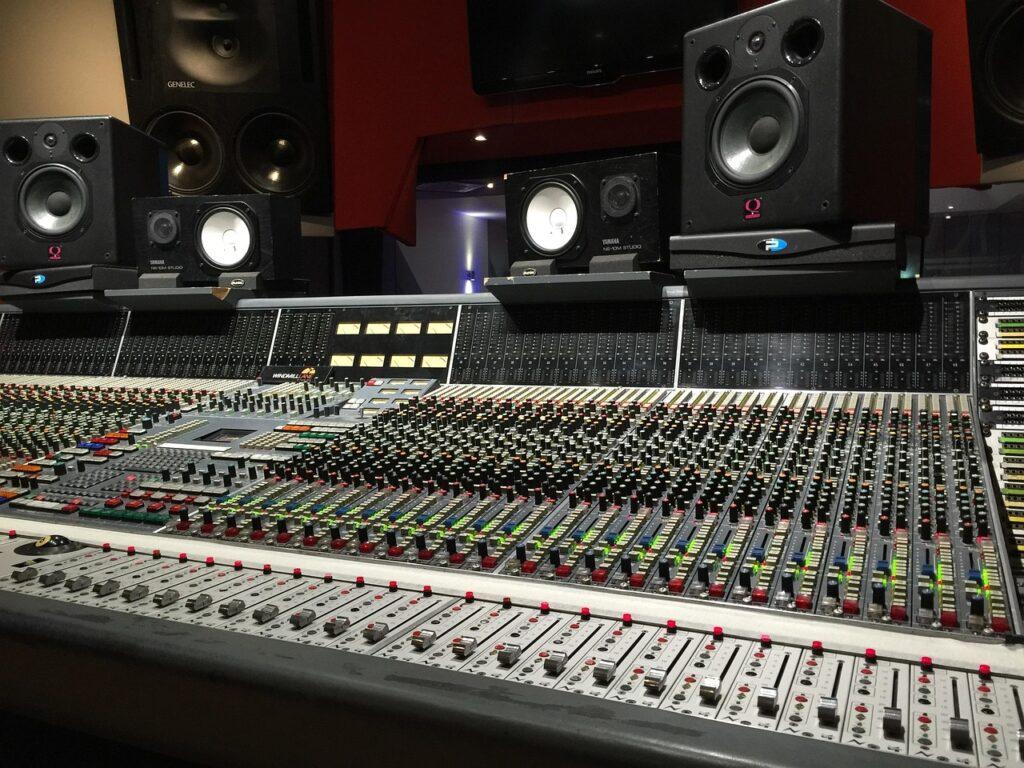
  • Essentially, it’s a complete software package that (with some hardware such as mics and a USB mixing console) will allow you to create professional quality recordings of your songs.
  • There are different levels of digital audio workstation with the limited versions being cheaper and higher price versions having more features and flexibility.
Intonation and Supplemented Equal Temperament - Recording Studio - Improvising vs Composing Music - How Do I Write a Song That Actually Sounds Good - How to Mix Using a Digital Audio Workstation (DAW)

How to Mix Using a Digital Audio Workstation (DAW): The Three Stages of a Recording Project

There are three basic stages to producing a music album.

  1. Tracking: When tracking you record all your instruments and sequence all your MIDI virtual instruments.
  2. Mixing: When you mix your song, you’re combining your instrumental tracks into a cohesive whole.
  3. Mastering: Mastering balances the volumes of the song tracks and applies more equalization if necessary. The goal is to have all the songs sound like they belong on the same album.

Do I need to do all three stages?

  • If you’re working on creating an album, yes.
  • If you’re just posting individual songs online, you can skip mastering.
How to Employ Effective Equalization on Your Song - Recording Studio - How to Mix Using a Digital Audio Workstation (DAW)

How to Mix Using a Digital Audio Workstation (DAW): Mixing the Tracks

When mixing, you’re going to use your faders to balance the volume between tracks, EQ and pan each track, and add sound effects.

Volume Controls

  • Faders: The track faders control the volume for each instrument track while the master fader controls the volume for the whole mix.
  • Gain Controls: These are volume controls that you use as you track instruments, such as your channel trim gains and your mic preamps which help you get the right volume going into the mixing console.
  • Attenuation: Some mixing consoles will give you an attenuation control, which will allow you to lower (or attenuate) the volume of a track.
  • Panning: The pan pots are another type of volume control. They allow you to control the stereo balance. In other words, it determines how much volume from a specific track comes out of the left versus right speaker.
  • Equalization (EQ): Equalization allows you to control the volume of specific frequency bands. This means that you can use EQ to control the tone quality of each instrument as well as for the whole mix.
  • Compression: Compressor/limiters are processors that help regulate the volume by automatically controlling the maximum volume a track can have. You do this by setting the volume threshold.
  • Noise Gate: Noise gates automatically shut off the sound once the volume has dropped below a specific threshold. Noise gates are good for reducing the noise on a track, such as the hiss from a guitar’s single coil pickup or the instrument bleed within a drum kit.

Gain Staging

To get a good sound you must set up proper gain staging.

  • Gain staging is how you set up your different volume controls to get the best sound possible.
  • First, set your master faders and track faders to zero dB, which will be marked on each fader.
  • If you’re tracking, you set your mic preamps so that the instrument is loud enough that you don’t get hiss on the track but not so loud that it goes into the red on the level meters and distorts.
  • If you’re mixing, you can use the trim gain controls to keep your faders within optimum volume ranges so that you don’t get hiss or distortion.
  • Keep an eye on the level meters so that they stay mostly in the green.

Panning

Panning is all about crowd control.

  • If you pan everything to the center, such as you get with live performances, the instruments within a full arrangement will mask each other.
  • When you pan instruments left and right, it helps your audience to be able to distinguish the different instruments within the mix.
  • It can also reduce the load on a specific speaker, which is why you’ll pan low frequency sounds, such as the bass guitar and kick drum, to the center of your sound field.

In most pop and rock mixes you’ll pan:

  • Lead Vocals: Center
  • Backing Vocals, Strings, and Synth Pads: Will be stretched left to right, either extreme left and right or partial (or even asymmetric) left and right.
  • Guitars and Synths: Will be panned either left (about 270o) or right (about 90o). If you have two guitars or a guitar and a keyboard, pan them opposite each other.
  • Piano: Will be stretched across the speakers so the low frequencies are on the left and the high on the right. Or you’ll pan it like you would a synth. It depends on whether you’re creating a rock mix or a piano centric (e.g., Billy Joel or Elton John) mix.
  • High Hat, Snare, Toms, and Cymbals: Pan the drum kit so the arrangement of the percussion instruments sounds like it’s from the audience’s perspective: high hat and snare panned 45o-ish right. Alternatively, you can pan it from the drummer’s perspective which is the opposite.
  • Brass and Woodwinds: If you have a brass section that you’ve recorded with a pair of mics in stereo, you can stretch them like you would the strings. For an individual instrument, such as a solo flute, sax, trumpet, or harmonica, you pan them center for their solo.

Compression

Compressors are the processors that are most closely associated with a professional sound. However, if you compress a track too much, it’ll sound overproduced.

  • The threshold determines when the compressor will start to take effect.
  • When tracking, set your compression to a 4:1 ratio. If you need to, you can always compress a track more when you mix the tracks.
  • Use a slow attack time on vocals, strings, brass, woodwinds, and synth pads, and a quick attack time on drums and other percussion instruments.

If your compression plugin has a soft knee, use it as this will make the effect sound better.

For more information on compressor/limiters:

EQ (Equalization)

Equalization is a critical part of creating a mix.

  • Just as you pan left and right to help make each instrument audible, so you can EQ your instruments, which will give them their own space in the sound spectrum.
  • Also, you can use EQ to fix problems like mic stand thump or vocal sibilance. Conversely, you can use a de-esser plugin to deal with sibilance.
  • The goal of equalization is to eliminate muddiness and enhance the sound of each instrument so that it sounds good, not by itself, but within the mix.

For more information on equalization, including EQ suggestions for each instrument:

Delay-Based Sound Effects

Delay-based effects can add interest to your mixes.

Reverb

  • Reverb will give your mix a sense of room space. When you clap, the sound moves away from you in a bubble. Then, it strikes the walls of your room, reflecting the sound back at you.
  • This continues to happen until the energy from the sound dies away. A good reverb unit can simulate thousands of reflections a second.
  • Some mixes will be very dry (e.g., a podcast), while others will be very wet (e.g., LA metal) with many styles of music falling somewhere in between.

For more information:

There are many effects plugins you can insert into the mix. However, one common use is to have the delay stretch the tracks for the wall-of-sound mix.

  • You can stretch a sound by panning the dry sound left and the effected sound to the right or vice versa.
  • This works well for strings, brass, woodwinds, backing vocals, and synth pads.
  • For the piano, you’ll mic the low end and high end of the piano and pan the low end left and the high end right.

Here is the industry standard for DAWs.

Here is a quality USB mixing console.

Video: Mixing Using the Pro Tools DAW

Mobile users: for best results viewing the video, rotate your screen 90o to the right.

Final Thoughts

Takeaway points:

  1. DAW is an acronym for Digital Audio Workstation.
  2. Essentially, it’s a complete software package that will allow you to create professional quality recordings of your songs.
  3. You’re going to use your faders to balance the volume between tracks, EQ and pan each track, and add sound effects.

Have fun recording!

Glossary

Enjoy the Bold Song Battle Hymn of the Republic - Union Soldier

Enjoy the Bold Song: Battle Hymn of the Republic

Do you want to enjoy the bold song “Battle Hymn of the Republic?” In this article, you’ll get three essentials: 1) a video of the song, 2) the complete words to the song, and 3) free easy-to-read lead sheet style sheet music using shape notes, including a sing along soundtrack. Keep reading to learn more. Estimated reading time 2 minutes.

Read More

The Top 10 Best Iconic Classical Music Compositions - Conductor Andrea Vitello - How to Play Musical Tempos from Adagio to Allegro

The Top 10 Best Iconic Classical Music Compositions

Do you want to hear the top classical music pieces? Western classical music has become an international music resource enjoyed by millions around the world. However, your average person on the street may only know the names of a few composers and just a handful of compositions. Keep reading “The Top 10 Best Iconic Classical Music Compositions” to introduce yourself to the world of classical music. Estimated reading time 4 minutes.

Read More
Can I Learn Sight-Singing if I Haven't Learned an Instrument -Jazz Singer - Is There a Difference in Difficulty for Singing Specific Vowels - Do You Need Help Learning How to Harmonize - How Do I Switch from Singing Shaped Notes to Standard Notation - How to Figure Out Your Voice Type

Can I Learn Sight-Singing if I Haven’t Learned an Instrument?

Do you want to learn how to sight-sing? Have you ever wondered, “Can I learn sight-singing if I haven’t learned an instrument?” You’ve come to the right place! Read more to find out whether it’s possible to learn sight-singing without having learned an instrument first. Estimated reading time 2 minutes.

Read More